
The purchase order system for Finago – with real-time cost control.
CostTracker connects to Finago (formerly 24SevenOffice) and gives you purchase orders, approvals and a budget for every project. You see the cost the moment a purchase is approved – not weeks or months later when the invoice arrives.
Free integration · No credit card · Set up in an afternoon

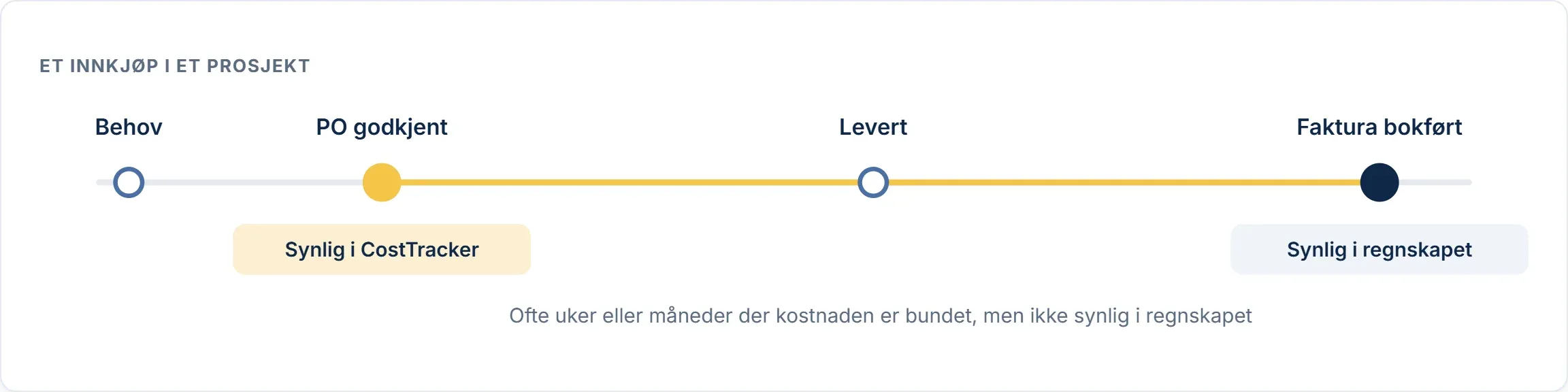
Finago shows what you have spent. CostTracker shows what you are about to spend.
Your accounts see a cost only when the supplier invoice is posted. On a project that is often too late, because the money was committed the day someone placed the order. CostTracker captures the cost at the point of purchase, so project managers and finance see the same numbers while there is still time to act.
How CostTracker and Finago work together
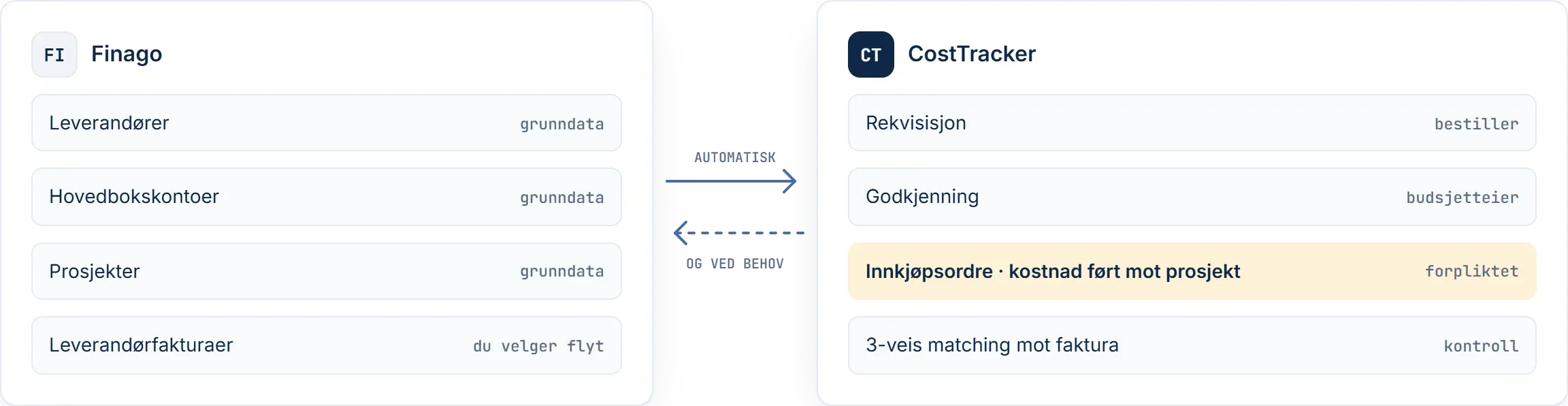
You keep your accounting in Finago. CostTracker fetches what it needs to order correctly and keeps track of everything that is committed.
1. Connect
Connect Finago under Settings → Integrations in CostTracker. No consultants needed.
2. Sync master data
Suppliers, general ledger accounts and projects are synced from Finago automatically every night, and whenever you want.
3. Order in CostTracker
The requisition goes to the budget owner. Once approved, it becomes a purchase order sent to the supplier.
4. Choose your invoice flow
Fetch invoice transactions from Finago, or receive invoices by EHF in CostTracker. Approved invoices are then posted back to Finago.
You choose where invoices come in
Some teams keep invoice receipt in Finago. Others want ordering, invoices and approval in one place. CostTracker supports both.
Invoice receipt in Finago
Keep the invoice flow you have today. The invoice arrives and is posted in Finago as before. CostTracker fetches the transaction and matches it against the purchase order and budget.
- No change for your accountant
- Matching and budgets update automatically
Invoice receipt in CostTracker
Ordering and invoices in one place. The invoice is received in CostTracker by EHF, matched against the purchase order and approved by the budget owner. Approved invoices are posted back to Finago.
- Approval happens where the purchase was approved
- Only approved invoices reach your accounts
You choose when you set up the integration, and can change it later.
Everything from requisition to accounts

Purchase orders
Professional purchase orders sent straight to the supplier, showing what was ordered, from whom, at what price and when.

Approvals by budget owner
Approvals go to whoever owns the budget, not up the org chart. Multiple levels when needed, and every step is logged.

Budget per project
Drill down from the total budget to categories and single orders. Strict mode blocks over-budget purchases before they happen.

Cash flow forecast
Weekly or monthly cash flow, calculated from approved commitments and milestones instead of estimates.

Three-way matching
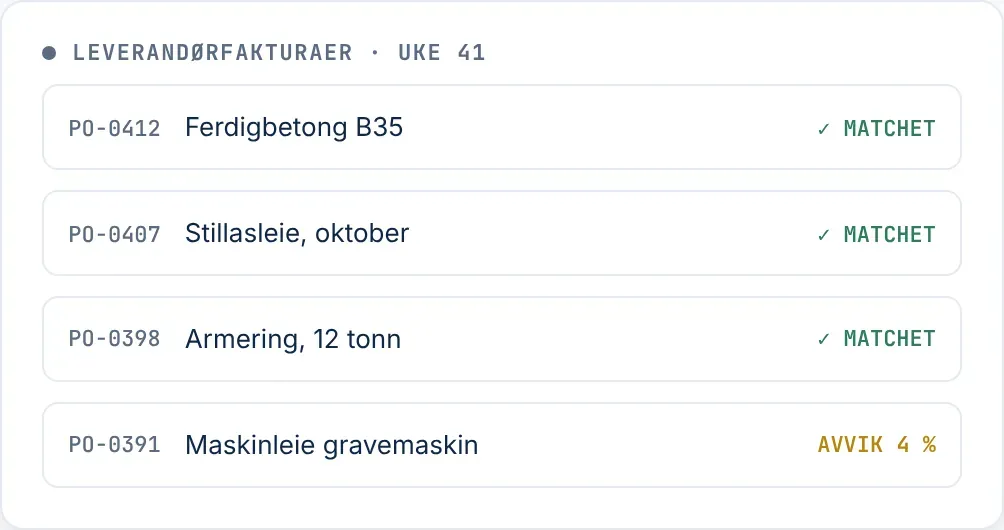
Purchase order, goods receipt and invoice are compared before approval. Variances are followed up and logged.

Invoice receipt by EHF
Receive supplier invoices directly in CostTracker. Each invoice is matched, approved and posted back to Finago.
Built for project-based businesses
What our customers have in common: purchases are made against a project with a budget, often by several people in several places.
- Construction
- Engineering
- Energy
- Maritime
- Aquaculture
- Events
About CostTracker
2016 Founded in Oslo, Norway
Hundreds of companies use CostTracker
30+ countries
14 days free trial with every feature
Do you keep the books for clients on Finago?
Your clients get control of their purchasing, and you get cleaner records. We are happy to join the conversation with clients who need more than their accounting system offers out of the box.
- Every invoice is already linked to an approved purchase order and a project
- Fewer questions to the client about what an invoice is for
- The integration is free and set up without consultants
Questions about CostTracker and Finago
The integration is free and included in every plan.
No, you choose. Keep posting invoices in Finago and CostTracker fetches the transactions, or receive invoices by EHF in CostTracker and approved invoices are posted back to Finago.
Suppliers, general ledger accounts and projects.
Yes. 24SevenOffice is now called Finago, and the integration connects the same way.
You connect the integration under Settings → Integrations. Most teams send their first purchase order the same afternoon.
Yes. You get 14 days free with every feature, no credit card required.
See your costs before the invoice arrives
Connect CostTracker to Finago and get real-time budget control on your projects.